Why turning the volume down is not enough
In sensorineural loss the problem is not only audibility. Outer hair cells amplify soft sounds and separate frequencies sharply; when they are damaged the threshold rises, loudness catches up quickly at high levels, and frequencies blur together. That is why the simulator splits sensorineural loss into two parts: the outer hair cell part is processed as level expansion (loudness recruitment), the inner hair cell part as plain attenuation.
Conductive and sensorineural components
When bone conduction is entered, the air-bone gap is treated as the conductive component and only attenuates; the bone conduction threshold itself is the sensorineural component. Without bone conduction, the whole loss is treated as sensorineural. Type and degree use the pure-tone average of 500, 1000, 2000 and 4000 Hz, as in the site's other tools.
Why the sound level matters
The simulator assumes the chosen sound reaches the ear at a given level (for example 65 dB SPL for normal speech) and applies the thresholds accordingly. Because the level of your headphones is unknown, setting the normal hearing version to a natural loudness brings the result closer to reality.
Speech Intelligibility Index (SII)
SII gives how much of speech is audible, weighting each frequency band by its contribution to intelligibility, on a 0 to 1 scale (ANSI S3.5-1997). The standard speech spectrum and the one-third octave method are used here; spread of masking is not included. SII is not a percentage of understanding: an SII of 0.5 can correspond to very different scores depending on context and talker.
Reading the live spectrum
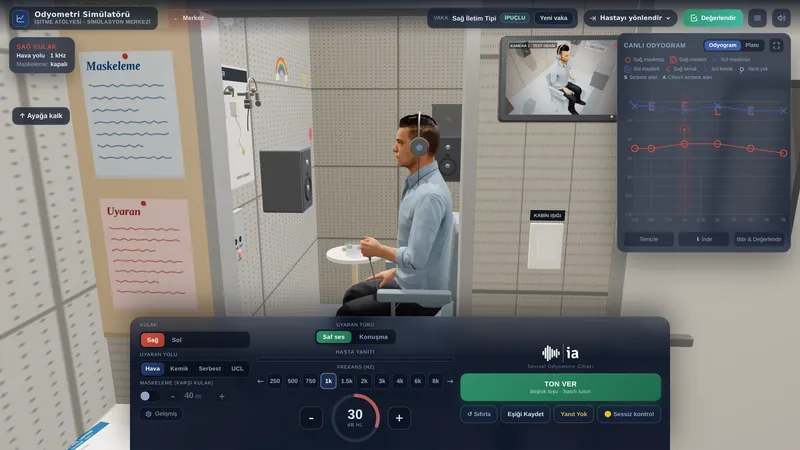
During playback the audiogram shows the momentary level of the sound reaching the ear in one-third octave bands. On an audiogram, lower means louder: bands that drop below the threshold line are audible, bands that stay above it (in the shaded area) are not. Levels are given relative to each band's normal hearing threshold so they can be compared on the chart, and are approximate.
Limits
This is a teaching tool and is not for diagnosis or choosing a device. The frequency response of your headphones, room reverberation and your own hearing change the result. Central auditory processing, attention, cognitive load and lip-reading are not modelled. Two people with the same audiogram do not hear in the same way either.
Frequently asked questions
Does the simulator reproduce exactly what a person with hearing loss hears?
No. It simulates audibility, loudness recruitment and reduced frequency selectivity with published methods, but the brain adapts to a loss over years and two people with the same audiogram do not hear alike. The aim is to give an intuitive sense of what a loss does to sound.
Why are headphones recommended?
The right and left ears are processed separately; one-sided or asymmetric loss, the talker's direction and ear-specific tinnitus can only be heard correctly with headphones. On speakers the two channels mix in the room, and small speakers cannot reproduce low frequencies.
How should I set the volume?
Play the female talker in the “Normal hearing” version and set your device volume so it sounds like someone talking normally in front of you. Then switch to the other versions without touching it. Turning it up too far makes the loss sound milder than it is.
Is my microphone recording sent anywhere?
No. Recording and all processing happen inside your browser; the sound is never uploaded and is gone when you close the page. Recordings are not written into the share link either.
Why does the hearing aid version not fix the sound completely?
The aid restores audibility, but the suprathreshold effects of sensorineural loss, recruitment and blurred frequencies, continue in the cochlea. The aid's upper frequency limit and compression also limit some detail. The difference is clearer in noise.
 Auditory Scene